.png?width=160&height=46&name=FMC%20logo%20(6).png "FMC logo")



In the era of customer-centric growth, data has become the most strategic asset for organizations worldwide. Your Customer Relationship Management (CRM) system serves as the central hub for this invaluable information. However, simply having data isn't enough to drive business success. To fuel high-performing sales, marketing, and service teams, your CRM data needs to be accurate, complete, and consistently up to date.
Poor data quality doesn't just slow things down—it leads to fractured customer experiences, misaligned revenue teams, and lost opportunities. Organizations lose thousands of hours annually to manual data correction and millions in missed revenue from poor targeting, slow follow-ups, and inaccurate reporting. The future of CRM data management lies in self-cleaning systems and implementing robust best practices that prevent data degradation before it occurs.
According to industry research, businesses lose an average of $15 million annually due to poor data quality. More concerning is that many organizations don't realize the extent of the problem until it manifests as missed quotas, customer churn, or failed marketing campaigns. The cost of poor data quality extends far beyond direct financial losses—it erodes trust in business intelligence, hampers decision-making, and creates friction across every customer touchpoint.
The modern business landscape demands more from CRM systems than ever before. With the rise of artificial intelligence, marketing automation, and predictive analytics, the quality of your input data directly determines the quality of your business outcomes. Garbage in, garbage out isn't just a cliché—it's a business reality that can make or break your competitive advantage.
This comprehensive guide explores the future of CRM data quality management, from understanding the root causes of data degradation to implementing cutting-edge self-cleaning systems. We'll examine proven best practices, explore leading solutions from industry experts like SyncMatters and MigrateMyCRM, and provide actionable strategies for transforming your CRM into a strategic asset that drives growth.
Key Insight: Clean, reliable CRM data enables more than just operational efficiency—it powers personalization at scale, improves automation, and gives leaders confidence in their forecasting and decision-making.
The Data Quality Challenge
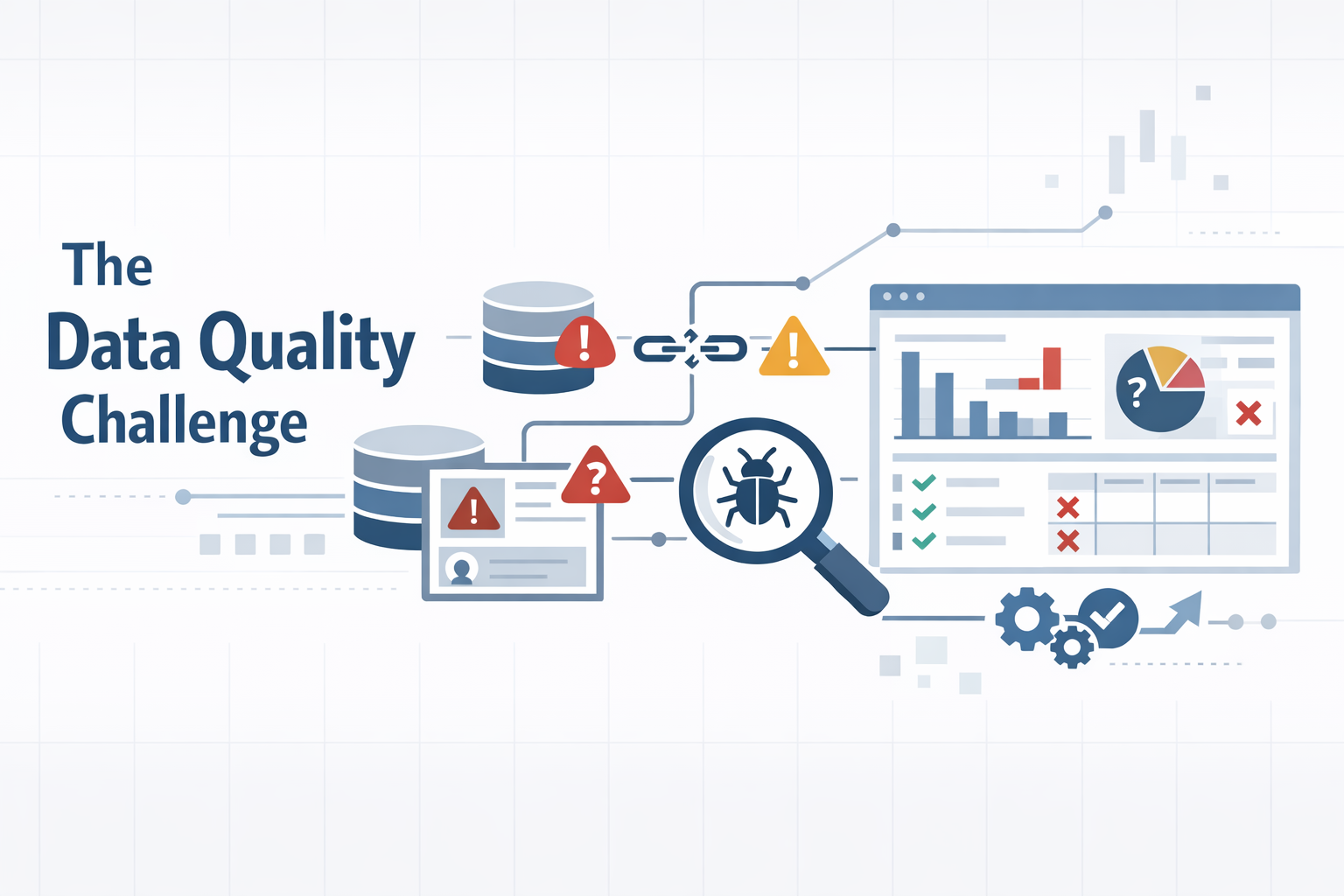
CRM data doesn't degrade all at once—it breaks down over time due to inconsistent inputs, disconnected systems, and lack of ownership. Understanding why data quality suffers is the first step toward implementing effective solutions.
Common Causes of Poor Data Quality
- Manual Data Entry Errors: When users enter data manually, mistakes are inevitable. Typos, missing fields, or mismatched formatting can create gaps that disrupt everything from email campaigns to sales outreach. As teams scale and lead volumes increase, the cost of these errors compounds quickly.
- Lack of Standardization: Without enforced standards like required fields, picklists, or formatting rules, users can input data however they choose. This means "New York" could also be "NY," "N.Y.," or "NYC," making reporting unreliable and segmentation ineffective.
- Data Decay: Contacts change jobs, phone numbers become invalid, and companies evolve. Without proactive data enrichment or cleansing, your CRM fills up with outdated records that waste time and skew performance metrics.
- Duplicate Records: Multiple touchpoints—website forms, trade shows, and manual uploads—often lead to duplicate contacts or accounts. These duplicates cause major confusion and inflate database size, driving up costs.
- Insufficient Governance: One-off cleanup projects aren't enough. CRM quality degrades over time without a strategy for ongoing data governance, including monitoring, validation, and ownership.
Business Impact: Bad data isn't just a technical issue—it's a revenue problem. It creates operational drag, leads to lost deals, poor forecasting, and increased compliance risk.
Business Impact Analysis: The True Cost of Poor Data Quality
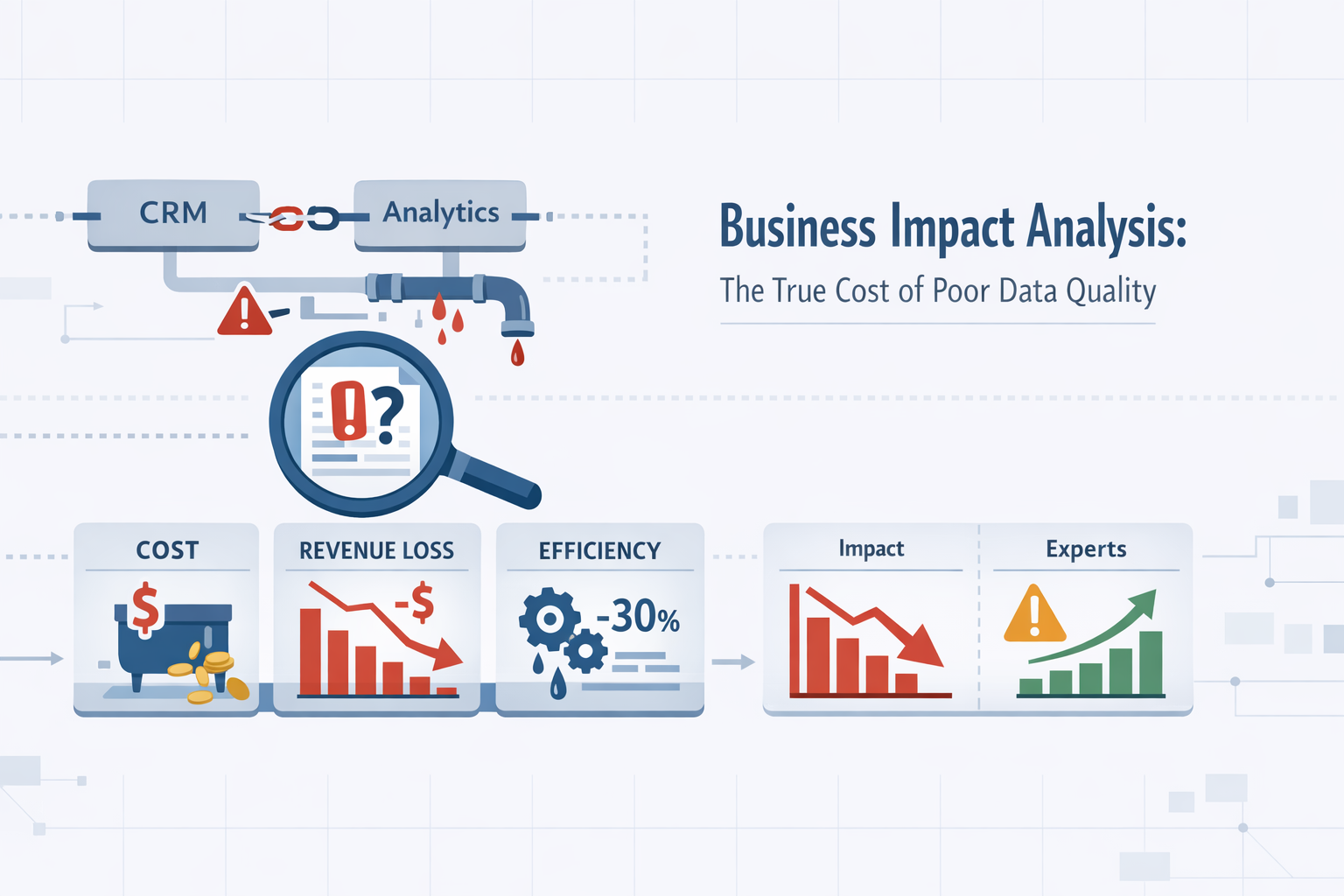
Understanding the financial and operational impact of poor CRM data quality is essential for building a business case for investment in data quality solutions. The costs manifest across multiple dimensions and compound over time.
Direct Financial Losses
Poor data quality directly impacts your bottom line in measurable ways. Sales teams waste valuable time researching incorrect contact information, chasing dead leads, or duplicating efforts on accounts already being worked by colleagues. Marketing campaigns sent to incorrect email addresses result in higher bounce rates, damaged sender reputation, and wasted advertising spend. Customer service teams struggle to provide personalized support when customer history and preferences are incomplete or inaccurate.
Consider a mid-sized B2B company with a sales team of 50 representatives. If each rep wastes just 30 minutes per day dealing with data quality issues—searching for correct contact information, updating outdated records, or resolving duplicate accounts—that's 25 hours per day or 6,250 hours per year. At an average fully-loaded cost of $75 per hour, that represents $468,750 in lost productivity annually.
Opportunity Costs
Beyond direct losses, poor data quality creates substantial opportunity costs. When sales reps can't trust their CRM data, they stop using it consistently, reverting to personal spreadsheets and email folders. This fragmentation makes it impossible to accurately forecast revenue, identify trending opportunities, or optimize territory assignments. Marketing teams struggle to segment audiences effectively, resulting in generic campaigns that fail to resonate with specific customer needs.
The impact extends to strategic decision-making. Executives making crucial business decisions based on flawed reports and dashboards may invest in the wrong markets, misallocate resources, or miss emerging trends entirely. The cost of these strategic missteps can dwarf the operational inefficiencies.
Customer Experience Degradation
Perhaps most damaging is the impact on customer experience. Customers who receive emails addressed to the wrong name, are contacted by multiple sales reps about the same opportunity, or must repeatedly provide the same information to different team members quickly lose confidence in your organization's professionalism.
In an era where customer experience is a primary competitive differentiator, these failures can be fatal. Studies show that 86% of buyers are willing to pay more for a great customer experience, but poor data quality makes delivering that experience nearly impossible. Customers expect you to know who they are, remember their preferences, and understand their history with your company—expectations that require accurate, complete CRM data.
Compliance and Legal Risks
Data privacy regulations like GDPR, CCPA, and industry-specific compliance requirements create significant risks when CRM data quality is poor. Organizations must be able to quickly identify, retrieve, and delete customer data upon request. Inaccurate or duplicated records make compliance nearly impossible and can result in substantial fines.
Additionally, maintaining outdated contact information for customers who have opted out or requested deletion creates legal liability. A single compliance violation can result in fines ranging from thousands to millions of dollars, depending on the jurisdiction and severity.
Team Morale and Adoption
Poor data quality creates a vicious cycle that impacts team morale and system adoption. When users encounter bad data, they lose trust in the CRM system. This leads to decreased usage, which further degrades data quality as information isn't updated consistently. Eventually, teams view the CRM as a burden rather than a valuable tool, and adoption plummets.
Low CRM adoption creates its own set of problems: management loses visibility into pipeline and activities, collaboration breaks down as information becomes siloed, and new hires struggle to get up to speed without centralized, reliable customer information.
ROI Consideration: Investing in data quality solutions typically pays for itself within the first year through improved productivity, better conversion rates, and reduced waste in sales and marketing activities.
Self-Cleaning Systems: The Future of CRM Data Management
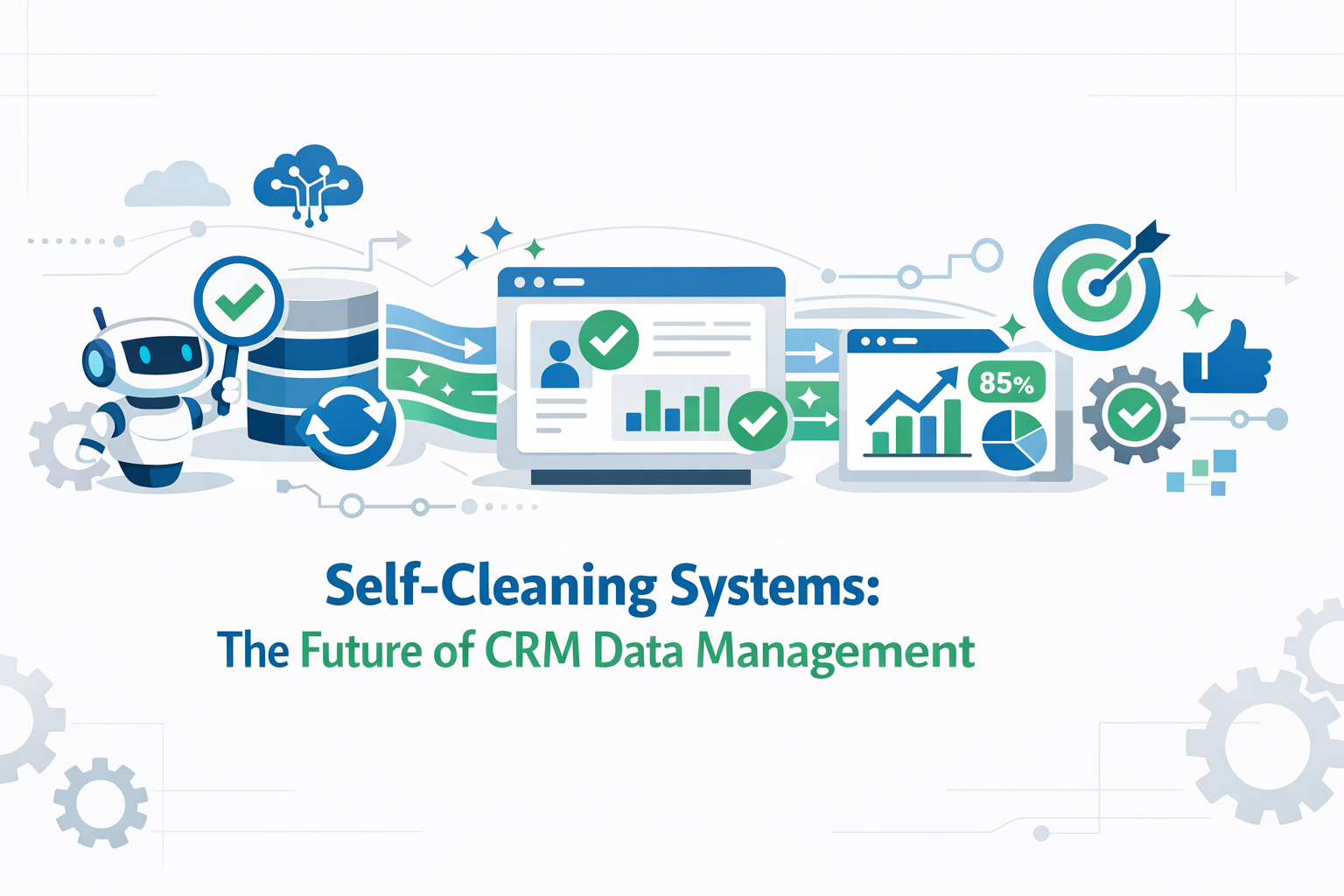
The future of CRM data quality lies in automation and intelligent systems that can identify, prevent, and correct data issues in real-time. Self-cleaning systems represent a paradigm shift from reactive cleanup to proactive data quality management.
Traditional approaches to data quality relied on periodic cleanup projects—often quarterly or annual efforts that involved exporting data, identifying issues, and manually correcting problems. By the time cleanup was complete, new issues had already accumulated. Self-cleaning systems break this cycle by continuously monitoring, validating, and correcting data as it flows through your CRM.
Key Components of Self-Cleaning Systems
1. Automated Validation Rules
Modern CRMs can implement validation rules that check data at the point of entry, ensuring consistency and completeness before records are created or updated. These rules can enforce proper formatting for email addresses, phone numbers, postal codes, and other standardized fields.
Advanced validation goes beyond simple format checking. Smart validation rules can verify that email domains actually exist, check that phone numbers follow country-specific patterns, ensure that state/province codes match the selected country, and flag impossible combinations like a ZIP code that doesn't exist in the selected state. These rules prevent bad data from entering your system in the first place, which is far more efficient than cleaning it up later.
Validation rules can also enforce business logic specific to your organization. For example, you might require that all enterprise deals include a decision-maker contact, that certain industries require additional compliance fields, or that renewal opportunities must reference a parent account. These business-specific rules ensure data completeness for your unique workflows.
2. Real-Time Data Enrichment
Data enrichment tools automatically append missing information to CRM records by pulling from verified external sources. This ensures comprehensive customer profiles without manual research, updating contact details, company information, and social profiles automatically.
Modern enrichment solutions can append dozens of data points including company size, revenue, industry, technology stack, social media profiles, and even firmographic data like growth trends and funding rounds. For B2B organizations, this transforms a simple contact record containing just a name and email into a comprehensive profile that enables targeted, personalized outreach.
Real-time enrichment happens automatically as records are created or updated. When a sales rep adds a new contact with just an email address, the enrichment service immediately queries multiple data sources to fill in missing information. Within seconds, the record includes the contact's job title, company, phone number, and social profiles—all without manual research.
The most sophisticated enrichment tools also monitor for changes over time. If a contact changes jobs, the system automatically updates their information and can even trigger workflows to notify the account team of the change. This proactive approach to data currency ensures your CRM reflects reality, not history.
3. Duplicate Detection and Merging
Advanced algorithms can identify potential duplicates based on multiple criteria such as email addresses, company names, and domains. Automated systems can either prevent duplicate creation or merge existing duplicates according to predefined rules.
Duplicate detection has evolved far beyond simple exact-match algorithms. Modern systems use fuzzy matching to identify potential duplicates even when data isn't identical. For example, "International Business Machines" and "IBM" would be recognized as the same company, as would "Bob Smith" and "Robert Smith" with the same email domain.
Machine learning-powered duplicate detection analyzes patterns across multiple fields to calculate a probability score. Instead of requiring an exact match on a single field, the system might identify a likely duplicate based on similar names, same company, matching phone area code, and similar email patterns. This probabilistic approach catches duplicates that rule-based systems would miss.
Once duplicates are identified, automated merging follows predefined rules to ensure data integrity. You can specify which record should be the master, how conflicting field values should be resolved, and which related records should be consolidated. This automation eliminates the need for manual review of each duplicate pair while ensuring consistent, intelligent merging.
4. Continuous Data Monitoring
Self-cleaning systems continuously monitor data quality metrics, flagging records that haven't been updated recently, identifying incomplete profiles, and alerting teams to potential data issues before they impact operations.
Monitoring dashboards provide real-time visibility into data quality health across multiple dimensions. Track metrics like percentage of records with complete contact information, average record age, duplicate rate, bounce rate on email fields, and compliance with required field standards. These metrics help you identify quality trends before they become critical problems.
Automated alerts notify relevant team members when quality thresholds are breached. For example, if the duplicate rate suddenly spikes, if a large batch of records is imported without required fields, or if email bounce rates exceed acceptable levels, the system automatically alerts data stewards to investigate. This proactive approach prevents small issues from becoming major cleanup projects.
Advanced monitoring includes data decay tracking. By analyzing historical patterns, the system can predict when records are likely to become outdated and prioritize them for review or re-enrichment. For example, contact records for roles with high turnover (like marketing managers) might be flagged for verification more frequently than more stable positions.
5. AI-Powered Data Correction
Machine learning algorithms can identify patterns in data entry errors and suggest corrections, learning from user behavior to improve accuracy over time. These systems can standardize naming conventions, correct formatting issues, and even predict which fields are most critical for specific use cases.
AI-powered correction goes beyond simple find-and-replace operations. By analyzing thousands of records, machine learning models learn your organization's data patterns and conventions. If users consistently format company names in a particular way, the system learns this pattern and automatically corrects deviations. If certain industries always include specific keywords, the AI can suggest or auto-populate these values.
Natural language processing can extract structured data from unstructured notes. For example, if a sales rep includes "scheduled follow-up for next Tuesday" in their activity notes, the AI can automatically create a task with the appropriate due date. This extraction reduces manual data entry and ensures important information isn't buried in free-text fields.
Predictive models can also identify likely errors based on contextual clues. If a contact record shows a job title of "CEO" but also indicates they report to someone else in the account hierarchy, the system flags this inconsistency for review. If a company record shows 50,000 employees but is categorized as a small business, the AI suggests a correction.
6. Workflow Automation for Data Maintenance
Self-cleaning systems incorporate automated workflows that maintain data quality over time. These workflows can automatically archive old records, update status fields based on activity patterns, assign data stewardship tasks, and trigger re-enrichment for aging records.
For example, a workflow might automatically change lead status from "active" to "cold" if there's been no engagement for 90 days, or flag accounts for review if there's been no activity for six months. These automated maintenance tasks ensure your CRM accurately reflects current reality without manual intervention.
CRM Data Quality Best Practices
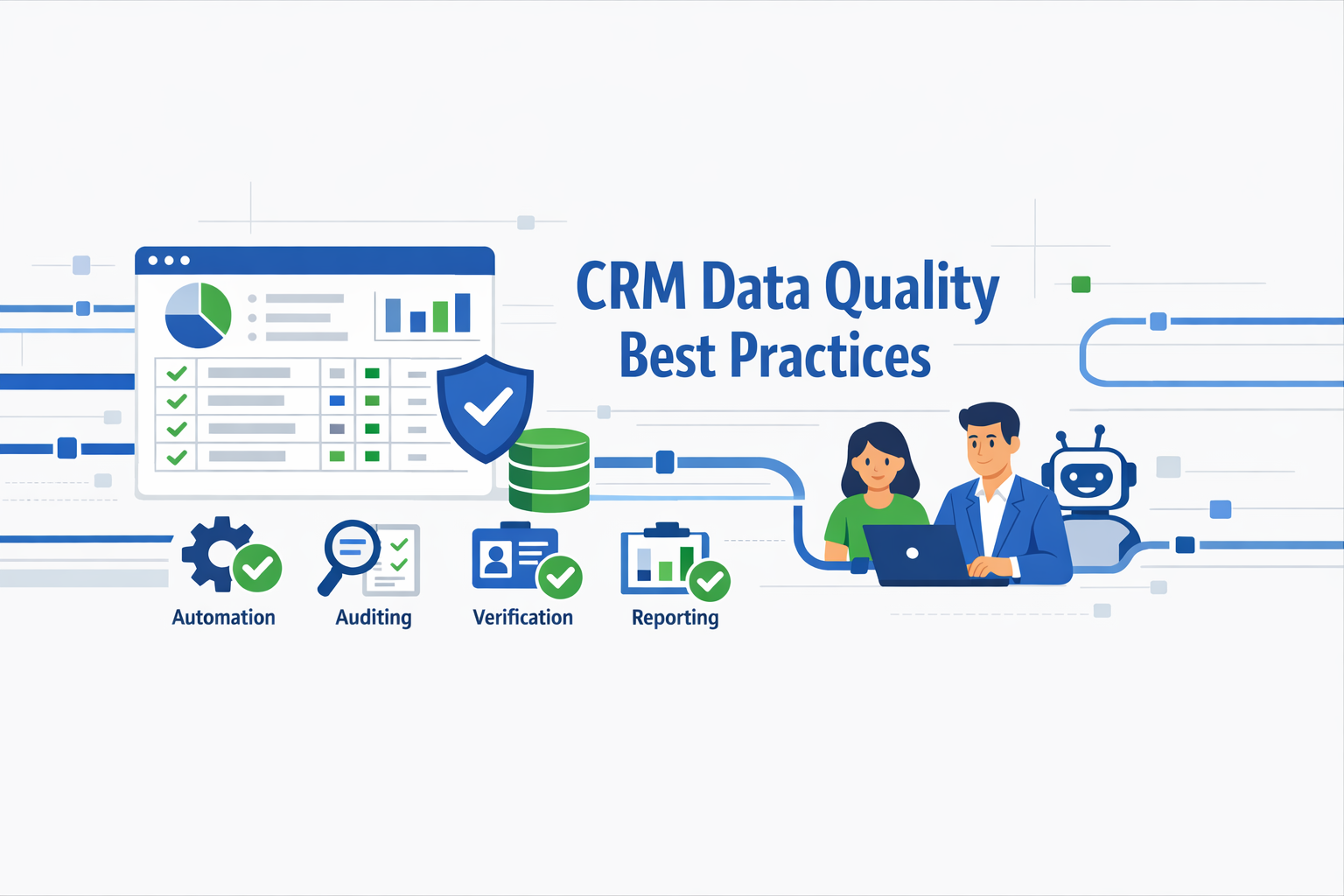
While technology plays a crucial role, implementing best practices ensures sustainable data quality across your organization.
1. Establish a Data Quality Checklist
A CRM data quality checklist ensures your team consistently enters, manages, and maintains information that can be trusted across the business. Not all information is equally important, so identify essential fields such as name, email, phone number, company, and role that must be captured for every customer record.
- Set mandatory fields to eliminate incomplete entries
- Standardize naming conventions for companies, contacts, and addresses
- Use consistent formats for dates, phone numbers, and postal codes
- Apply drop-down lists or automated formatting rules to keep data uniform
2. Implement Strong Entry Controls
Capture clean, accurate information right from the beginning by utilizing:
- Drop-down menus for standardized selections
- Required fields to prevent incomplete records
- Validation rules to ensure proper formatting
- Auto-population features to reduce manual entry
3. Define Clear Duplicate Management Rules
Establish clear rules for identifying, preventing, and merging duplicates before they spread across your CRM. Leverage built-in CRM tools or third-party apps that automatically detect potential duplicates at the point of entry, and establish a process for resolving conflicts.
4. Schedule Regular Data Audits
Even with strong entry rules, customer data quality degrades over time. Create a regular schedule for reviewing and cleaning your CRM data, combining automated checks with manual audits to catch both technical and contextual errors.
5. Invest in User Training
Provide role-specific training during onboarding and after system updates. Offer on-demand resources including videos, knowledge bases, and live chat support. Choose a CRM vendor that includes strong customer support and community access.
6. Establish Data Governance
Assign ownership and accountability for data quality across departments. Define clear processes for data entry, updates, and maintenance. Create documentation for data standards and best practices that all team members can reference.
Building a Data Governance Framework
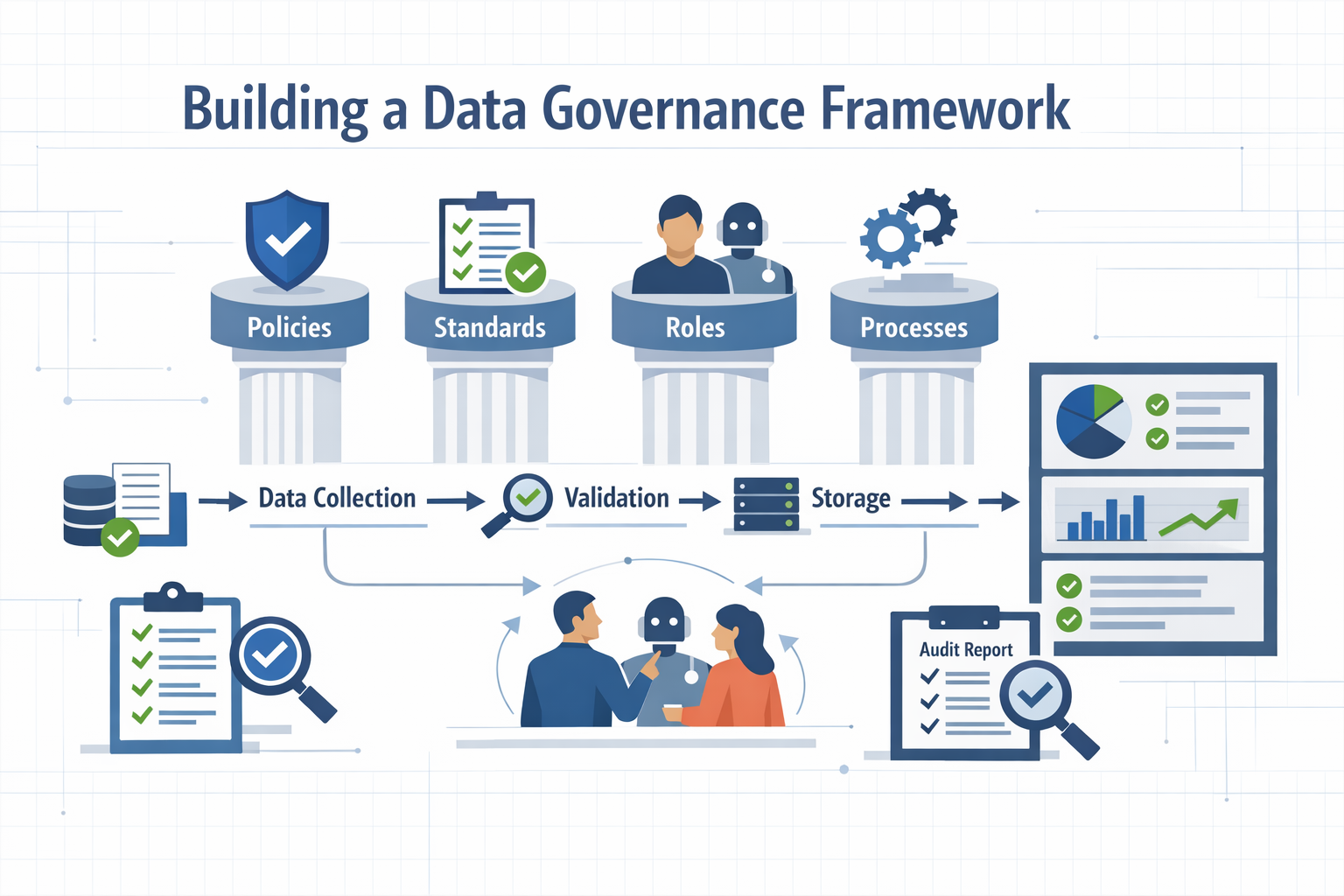
Technology and best practices alone aren't sufficient for sustainable data quality. Organizations need a comprehensive data governance framework that defines roles, responsibilities, policies, and procedures for managing CRM data throughout its lifecycle.
Establishing Data Stewardship
Data stewardship assigns clear ownership for data quality at both the organizational and record level. At the organizational level, appoint a Chief Data Officer or Data Governance Committee responsible for setting data quality standards, monitoring compliance, and driving continuous improvement initiatives.
At the record level, implement field-level ownership where specific individuals or teams are responsible for maintaining accuracy in their domains. For example, the marketing team might own lead source data, sales owns opportunity information, and customer success owns renewal data. This distributed ownership model ensures accountability while leveraging domain expertise.
Creating Data Quality Policies
Comprehensive data quality policies document standards for data entry, updates, and maintenance. These policies should cover:
- Data Entry Standards: Specify required fields, formatting conventions, and validation rules for each object type
- Update Frequency: Define how often different record types should be reviewed and updated
- Data Retention: Establish rules for archiving or deleting old records
- Privacy and Compliance: Document procedures for handling personal data, consent management, and data deletion requests
- Access Controls: Define who can create, read, update, and delete different types of records
- Integration Standards: Specify requirements for systems that integrate with your CRM
Implementing Change Management
Successful data governance requires organizational change management. Teams accustomed to loose data practices may resist new standards and processes. Address this through:
- Executive Sponsorship: Ensure leadership visibly supports and reinforces data quality initiatives
- Communication: Clearly explain why data quality matters and how it benefits each team
- Training Programs: Provide comprehensive, role-specific training on new standards and tools
- Incentives: Consider incorporating data quality metrics into performance reviews
- Feedback Loops: Create channels for users to report data quality issues and suggest improvements
Measuring and Reporting
Establish key performance indicators (KPIs) to measure data quality and track improvement over time. Regular reporting to stakeholders maintains visibility and accountability. Common data quality KPIs include:
- Percentage of records with complete required fields
- Duplicate rate (number of duplicate records / total records)
- Data accuracy rate (verified correct records / total records sampled)
- Email deliverability rate
- Average time from record creation to first update
- CRM adoption and usage rates
- User satisfaction scores
Create dashboards that make these metrics visible to all stakeholders, not just data administrators. Transparency drives accountability and helps teams understand the impact of their data quality efforts.
Continuous Improvement Processes
Data governance isn't a one-time initiative—it requires ongoing refinement and adaptation. Establish regular reviews of data quality metrics, standards, and processes. Quarterly governance committee meetings should review performance against KPIs, discuss emerging challenges, and approve updates to policies and procedures.
Conduct periodic audits where random samples of records are manually reviewed for accuracy and completeness. These audits provide ground truth for automated quality metrics and can uncover issues that automated tools miss.
SyncMatters: Expert CRM Integration and Migration Solutions
About SyncMatters
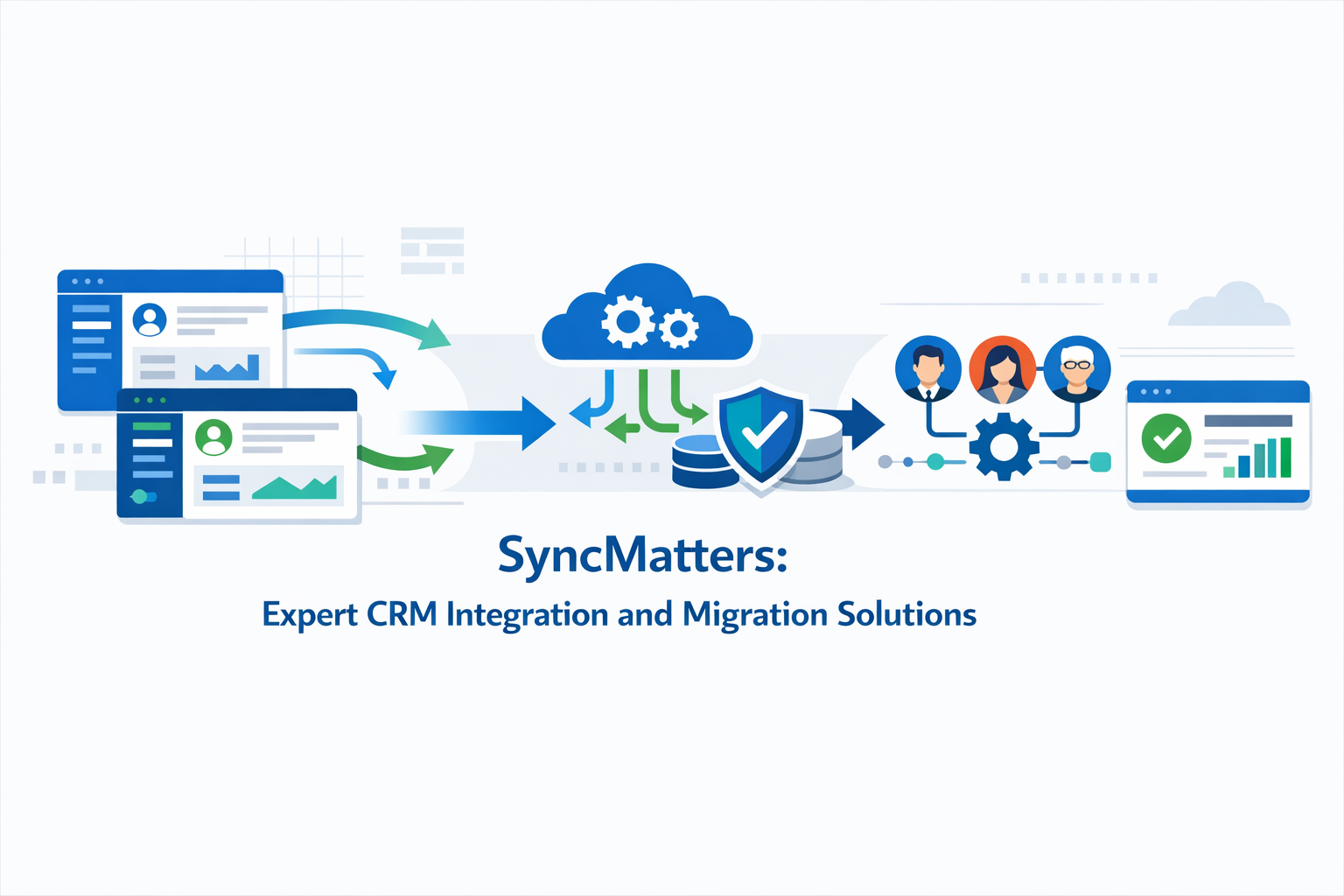
SyncMatters is at the forefront of CRM integration and solutions, offering expert guidance and strategic implementation across a range of leading platforms. As a certified Elite HubSpot partner and trusted expert for monday.com and Salesforce, SyncMatters brings extensive experience and tailored solutions to enhance business processes and data management.
Learn more: https://syncmatters.com/
Core Services
Custom Integration Services
SyncMatters enhances sales and marketing efficiency with custom integration services that seamlessly connect your tools for optimized performance. Their integration solutions eliminate silos between systems, ensuring real-time data synchronization and improved data accessibility across departments.
Guided and Custom Migrations
Whether you need hands-on assistance with a Guided Migration or have intricate requirements requiring a Custom Migration, SyncMatters ensures a smooth CRM data migration journey. Their approach focuses on:
- Comprehensive data assessment and quality evaluation
- Strategic planning tailored to business objectives
- Custom configurations for optimal system performance
- Relationship-focused training backed by 100+ HubSpot certifications
- Accurate data mapping with attention to complex scenarios
CRM Optimization and Onboarding
SyncMatters delivers custom configurations, strategic guidance, and comprehensive training to maximize your CRM investment. Their team specializes in turning complex CRM implementations into hassle-free experiences, ensuring every aspect of your data is meticulously and accurately integrated.
Key Differentiators
- Elite Industry Partnerships: Certified Elite HubSpot partner with deep alignment and expertise
- Proven Expertise: Extensive experience across multiple CRM platforms including HubSpot, monday.com, and Salesforce
- Tailored Solutions: Services adapted to unique business needs, whether new to CRM or optimizing existing systems
- Data Quality Focus: Emphasis on data accuracy, integrity, and continuous improvement
- Holistic Approach: Comprehensive solutions encompassing integration, migration, and ongoing support
Client Testimonial: "Zaynab Babacan has been training our staff for almost a year now and she is brilliant, patient and kind. Always extremely professional, she finds a way to make complicated things seem simple. She has become an extension of our marketing department and one of our most valuable resources!" - Associate Director of Marketing at The Motherhood Center
MigrateMyCRM: Advanced Data Migration Platform
About MigrateMyCRM
MigrateMyCRM (formerly Trujay) is a reliable CRM migration platform with 25+ connectors and over 4,270 successful migrations. The platform is designed to handle migrations from the simplest to the most complex use cases, ensuring data accuracy and security throughout the process.
Learn more: https://migratemycrm.com/
Platform Features
AI-Powered Automapping
MigrateMyCRM's intelligent mapping engine automatically identifies data relationships and structures, matching objects and fields between source and target CRMs based on the closest name match. This reduces the time and effort needed to set up migrations accurately.
Advanced Customization Options
- Custom Field Creation: View custom fields from your current CRM and create them in the target system directly within the interface
- Field Usage Analysis: See field usage percentages to understand which fields contain data and make informed migration decisions
- Advanced Filtering: Define criteria or logic for each object to include or exclude specific records
- Picklist Mapping: Map dropdown fields between CRMs and edit picklist options directly within the UI
- Custom Object Support: Create custom objects or map to existing custom objects within your CRMs
Duplicate Prevention
The platform includes matching logic to identify potential duplicates based on criteria like company name or domain, preventing duplicate record creation during migration.
The 5-Step Migration Process
- Connect Your Data Sources: Easily connect to existing databases, applications, and data warehouses with pre-built connectors
- Map Your Data: Intelligent mapping engine identifies relationships and allows you to define transformation rules
- Match Your Records: Set up matching logic to prevent duplicates if you already have records in your destination CRM
- Run FREE Sample Migration: Test approximately 10% of records, adjust mappings, and repeat as needed
- Run Your Migration: Execute the full migration with real-time updates and data integrity assurance
Key Advantages
- 25+ Cloud Connectors: Support for major CRM platforms plus CSV and Excel files
- Unlimited Free Testing: Run sample migrations as many times as needed without credit card
- Complete Control: Full customization of mappings, objects, and migration parameters
- Security & Compliance: ISO certified, GDPR compliant, trusted by secure organizations
- Relationship Preservation: Maintains all associations between contacts, accounts, attachments, and activities
- Version Control: Easily revert to previous mapping versions if changes don't meet expectations
Migration Support Tiers
MigrateMyCRM offers flexible options to fit any business or budget:
- Self-Service: Use the platform independently with comprehensive documentation
- Assisted Migration: Get help when you need it while maintaining control
- Fully Managed: Let the expert team handle the entire migration process
Platform Strength: MigrateMyCRM's robust platform can transform data objects, scrub irrelevant data, merge or amend data, and handle all issues that pop up mid-migration, saving enormous amounts of time for migration executors.
Implementation Strategy for Data Quality Excellence
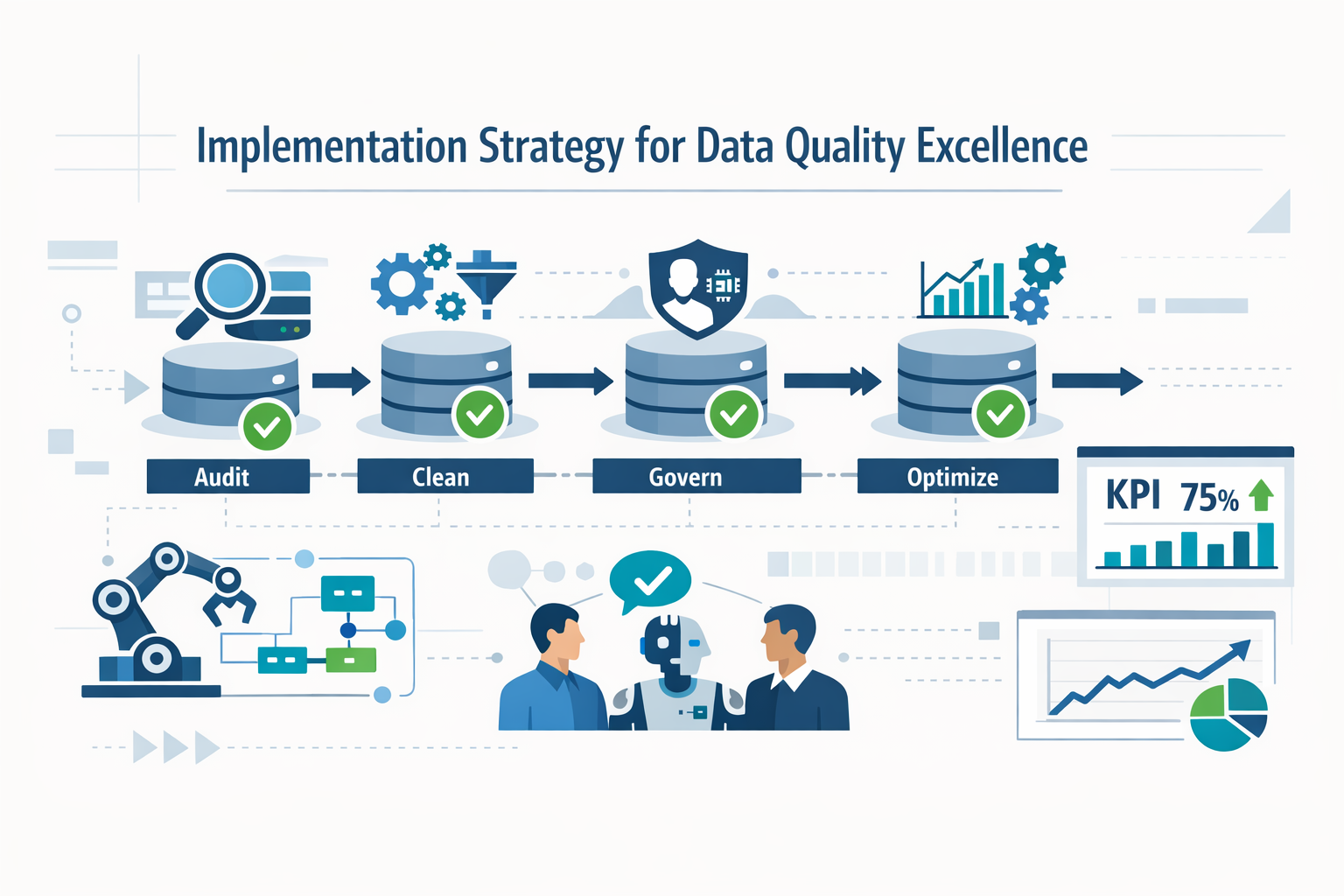
Successfully implementing self-cleaning systems and best practices requires a strategic approach that combines technology, process, and people.
Phase 1: Assessment and Planning
- Conduct comprehensive data quality audit
- Identify critical data fields and relationships
- Document current pain points and business impact
- Define clear objectives and success metrics
- Assess current tools and identify gaps
Phase 2: Tool Selection and Configuration
- Evaluate CRM platforms and data quality tools
- Consider integration capabilities with existing systems
- Configure validation rules and automation workflows
- Set up duplicate detection and prevention mechanisms
- Implement data enrichment integrations
Phase 3: Data Cleanup and Migration
- Perform initial data cleansing and standardization
- Merge duplicate records according to defined rules
- Execute migration using proven platforms like MigrateMyCRM
- Validate migrated data through sample testing
- Verify relationship integrity across all objects
Phase 4: Training and Adoption
- Develop role-specific training programs
- Create documentation for data standards and processes
- Establish data governance teams and ownership
- Implement change management strategies
- Monitor adoption rates and gather feedback
Phase 5: Continuous Improvement
- Schedule regular data quality reviews
- Monitor key performance indicators
- Refine automation rules based on results
- Update training materials as systems evolve
- Stay current with platform updates and new features
Expert Tip: Partner with experienced specialists like SyncMatters who bring proven methodologies and can help you avoid costly mistakes. Their expertise in complex migrations and integrations ensures your implementation is transformational rather than traumatic.
Measuring Success: KPIs and Metrics for Data Quality
You can't improve what you don't measure. Establishing clear metrics and KPIs for data quality enables you to track progress, identify problem areas, and demonstrate ROI from your data quality initiatives.
Core Data Quality Metrics
Completeness Metrics
Completeness measures the extent to which all required data is present in your CRM. Track the percentage of records with all required fields populated, broken down by object type (contacts, accounts, opportunities, etc.). Monitor trends over time to ensure completeness improves rather than degrades.
Calculate field-level completeness for critical fields beyond just required fields. For example, you might track what percentage of contact records include mobile phone numbers, LinkedIn profiles, or department information. These optional but valuable fields often provide the context needed for personalization and segmentation.
Accuracy Metrics
Accuracy measures how well your data reflects reality. This is harder to measure than completeness but critically important. Implement regular sampling where you manually verify a subset of records against authoritative sources. Track the accuracy rate (verified correct records / total records sampled) and investigate common error patterns.
Email bounce rates provide an easily measurable accuracy metric. High bounce rates indicate outdated or incorrect email addresses. Similarly, track phone number connection rates (for teams that make outbound calls) and mailing address return rates (for direct mail campaigns).
Consistency Metrics
Consistency measures whether data follows standardized formats and conventions. Track the percentage of records that comply with formatting rules for phone numbers, addresses, company names, and other standardized fields. Monitor how many records use standardized picklist values versus free-text entries where picklists should be used.
Timeliness Metrics
Timeliness measures how current your data is. Calculate the average age of records (time since last update), broken down by record type and owner. Track the percentage of records that have been updated within specified timeframes (e.g., contacts updated in the last 90 days).
Monitor data decay rates by tracking how quickly accuracy degrades over time. For example, analyze how accuracy correlates with record age to determine optimal refresh intervals for different record types.
Uniqueness Metrics
Uniqueness measures the extent of duplicate records in your CRM. Track both the duplicate rate (number of duplicate records / total records) and the duplicate detection rate (duplicates caught and prevented / total creation attempts). Breaking these metrics down by source (manual entry, import, web forms, etc.) helps identify which channels need stronger duplicate prevention.
Business Impact Metrics
While technical data quality metrics are important, connecting them to business outcomes demonstrates ROI and maintains stakeholder engagement.
Productivity Metrics
Measure time saved through improved data quality. Survey sales reps on how much time they spend dealing with data quality issues before and after implementing improvements. Track the time from lead assignment to first contact—improvements in data quality should reduce this metric as reps spend less time researching correct information.
Conversion Metrics
Monitor conversion rates at each stage of your funnel. Improved data quality typically increases conversion rates as teams can better target prospects, personalize outreach, and avoid contacting the same person multiple times. Track lead-to-opportunity conversion, opportunity-to-close conversion, and overall win rates.
Customer Satisfaction Metrics
Customer experience improves when your team has accurate, complete information. Track customer satisfaction scores (CSAT), Net Promoter Score (NPS), and customer effort scores. Monitor complaints related to data quality issues (being contacted multiple times, receiving communications with wrong name, etc.).
Marketing Performance Metrics
Data quality directly impacts marketing effectiveness. Track email deliverability rates, click-through rates, and campaign ROI. Monitor list growth rates and opt-out rates—poor data quality often leads to higher unsubscribe rates as recipients receive irrelevant communications.
Adoption and Usage Metrics
User adoption is both a driver and indicator of data quality. High-quality data drives adoption, and high adoption maintains quality. Track daily active users, percentage of teams consistently logging activities, and mobile app usage. Survey users regularly on their perception of data quality and system usefulness.
Creating Effective Dashboards
Compile these metrics into dashboards tailored to different audiences. Executive dashboards should focus on business impact metrics and high-level trends. Data steward dashboards need detailed technical metrics and drill-down capabilities. User dashboards should show team-level and individual performance against data quality standards.
Set up automated alerts when metrics breach acceptable thresholds. If the duplicate rate suddenly spikes, if email bounce rates exceed targets, or if record completeness falls below standards, relevant stakeholders should be notified immediately.
Benchmarking and Goal Setting
Establish baseline metrics before implementing major data quality initiatives, then set realistic improvement goals. Industry benchmarks can provide context, but focus primarily on improvement relative to your own baseline. Aim for continuous improvement rather than perfection—even small percentage improvements in data quality can yield significant business benefits.
Measurement Best Practice: Review data quality metrics in regular business reviews alongside other key performance indicators. This elevates data quality from a technical concern to a business priority and maintains organizational focus on continuous improvement.
Future Trends in CRM Data Quality
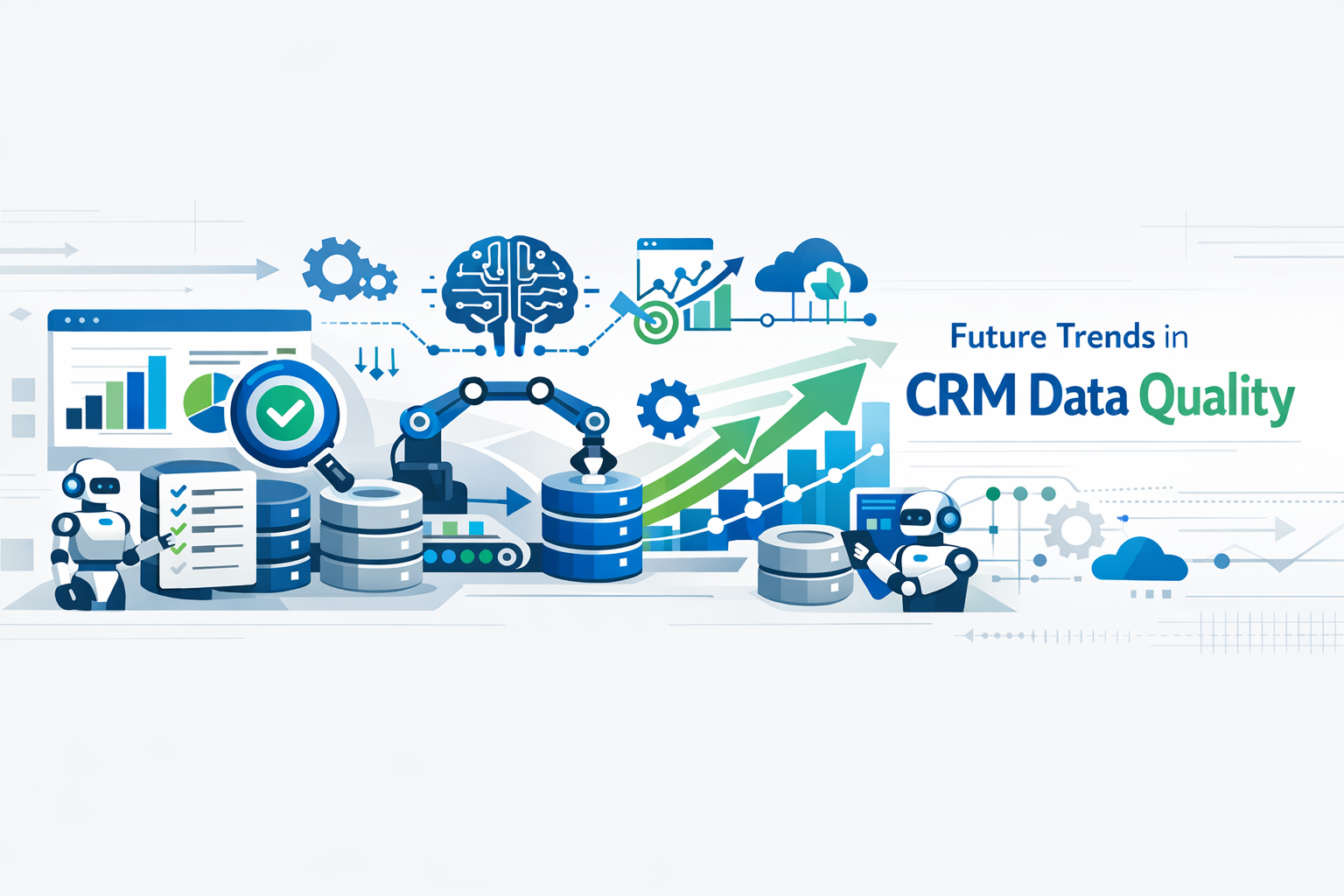
The landscape of CRM data quality is rapidly evolving, driven by technological advances and changing business needs.
Artificial Intelligence and Machine Learning
AI-powered systems will increasingly automate data quality tasks, from predicting data decay to suggesting optimal data structures. Machine learning algorithms will learn from user behavior patterns to continuously improve data quality rules and recommendations.
Real-Time Data Validation
Future systems will validate data against external sources in real-time, immediately flagging outdated or incorrect information. This shift from periodic batch processing to continuous validation will dramatically improve data freshness.
Predictive Data Quality
Advanced analytics will predict which records are likely to degrade or become outdated, enabling proactive maintenance before data quality issues impact operations.
Enhanced Integration Capabilities
CRM systems will feature deeper integrations with data enrichment services, marketing automation platforms, and business intelligence tools, creating seamless data flows across the entire technology stack.
Blockchain for Data Integrity
Blockchain technology may play a role in ensuring data integrity and creating auditable trails of data changes, particularly for industries with strict compliance requirements.
Self-Healing Databases
The ultimate evolution of self-cleaning systems will be truly self-healing databases that automatically correct errors, fill in missing information, and optimize data structures without human intervention.
Leading CRM Platforms
Choosing the right CRM platform is crucial for maintaining data quality. Here are some of the leading options in the market:
Salesforce
The world's #1 CRM platform with comprehensive features for sales, service, and marketing. Offers robust data quality tools and extensive integration capabilities.
monday.com
A versatile work operating system with powerful CRM capabilities. Features intuitive interface and flexible customization options for teams of all sizes.
Pipedrive
Sales-focused CRM designed to help teams manage leads and deals efficiently. Known for its user-friendly interface and strong pipeline management features.
Zoho
Comprehensive CRM solution with AI-powered features and extensive customization options. Offers excellent value with integrated suite of business applications.
Each of these platforms offers unique strengths for data quality management. SyncMatters and MigrateMyCRM support migrations and integrations across all these platforms, ensuring you can maintain data quality regardless of which system you choose.
Frequently Asked Questions (FAQ)
General Data Quality Questions
Q: What is CRM data quality and why does it matter?
A: CRM data quality refers to the accuracy, completeness, consistency, and timeliness of customer information stored in your Customer Relationship Management system. It matters because poor data quality leads to wasted time, missed opportunities, decreased customer satisfaction, and bad business decisions. High-quality data enables effective sales and marketing, accurate forecasting, and superior customer experiences.
Q: How much does poor data quality typically cost organizations?
A: Research indicates that organizations lose an average of $15 million annually due to poor data quality. However, costs vary significantly based on organization size, industry, and reliance on data-driven processes. Beyond direct financial losses, poor data quality creates opportunity costs, damages customer relationships, and creates compliance risks that can be difficult to quantify.
Q: What percentage of CRM data is typically inaccurate or incomplete?
A: Industry studies suggest that approximately 25-30% of CRM data contains errors or missing information. Data decay occurs at a rate of about 30% per year, meaning that even accurate data becomes outdated over time as contacts change jobs, companies evolve, and circumstances change. Without active data quality management, accuracy degrades continuously.
Q: How often should we clean our CRM data?
A: Rather than relying on periodic cleanup projects, implement continuous data quality management through self-cleaning systems and ongoing governance. However, comprehensive audits should still occur quarterly or semi-annually to catch issues that automated systems miss. The frequency depends on your data volume, change rate, and business requirements.
Self-Cleaning Systems Questions
Q: What is a self-cleaning CRM system?
A: A self-cleaning CRM system uses automation, validation rules, and artificial intelligence to continuously monitor, validate, and correct data quality issues in real-time. Rather than relying on periodic manual cleanup, self-cleaning systems prevent bad data from entering, automatically enrich incomplete records, detect and merge duplicates, and flag potential issues for review.
Q: Can self-cleaning systems completely eliminate the need for manual data management?
A: While self-cleaning systems dramatically reduce manual data management requirements, they don't eliminate it entirely. Human oversight remains important for complex decisions, establishing business rules, training AI models, and handling edge cases. However, automation can handle 80-90% of routine data quality tasks, freeing teams to focus on strategic work.
Q: How do AI-powered data quality tools learn and improve over time?
A: AI-powered data quality tools use machine learning algorithms that analyze patterns in your data and learn from user corrections. When users correct an error or merge duplicate records, the system learns from these actions and applies similar logic to future records. Over time, the AI becomes more accurate at predicting corrections, identifying duplicates, and enforcing your organization's specific data conventions.
Q: What's the difference between data validation and data enrichment?
A: Data validation checks whether data meets specified criteria (correct format, required fields completed, logical consistency), typically at the point of entry. Data enrichment appends additional information to records by pulling from external databases, adding data points that weren't originally provided. Validation prevents bad data from entering; enrichment completes partial data to create comprehensive records.
Implementation Questions
Q: How long does it take to implement a comprehensive data quality program?
A: Implementation timelines vary based on organization size, current data state, and scope of initiatives. A typical comprehensive program takes 3-6 months to fully implement, including initial cleanup, tool configuration, process definition, training, and rollout. However, you can achieve quick wins within the first 30-60 days by implementing validation rules and automated duplicate detection.
Q: Should we clean our data before migrating to a new CRM?
A: Absolutely. Migrating dirty data to a new system is one of the most common and costly mistakes organizations make. Use migration as an opportunity to clean, deduplicate, and standardize your data. Services like MigrateMyCRM include data quality features specifically designed to clean data during migration, preventing you from carrying problems into your new system.
Q: What's the ROI of investing in data quality tools and services?
A: Most organizations see positive ROI within 6-12 months of implementing comprehensive data quality solutions. Benefits include reduced time spent on manual data correction (typically 20-30% productivity improvement for sales teams), increased conversion rates (often 10-15% improvement), reduced wasted marketing spend, and better forecasting accuracy. The specific ROI depends on your current data quality state and business model.
Q: How do we get buy-in from leadership for data quality initiatives?
A: Focus on business outcomes rather than technical metrics. Quantify the current cost of poor data quality in terms leadership cares about: lost revenue, wasted productivity, customer churn, and compliance risk. Present data quality initiatives as revenue and efficiency enablers rather than IT projects. Pilot programs that demonstrate quick wins can build momentum for larger investments.
Best Practices Questions
Q: What are the most important fields to keep clean in a CRM?
A: Priority fields include contact information (name, email, phone), company/account details, lead source, opportunity stage and amount, and last activity date. The specific critical fields depend on your business model and processes. Identify fields that are used in automation, reporting, or segmentation as high-priority for data quality.
Q: How do we prevent duplicate records from being created?
A: Implement multiple layers of duplicate prevention: enable duplicate detection rules in your CRM, use validation rules that check for existing records before allowing creation, configure web forms to check for existing contacts before submission, and establish matching logic in data import tools. Train users to search before creating new records and make duplicate checking part of your standard processes.
Q: Should we delete old or inactive records from our CRM?
A: Rather than deleting records, implement an archival strategy that moves inactive records to a separate status or database. This preserves historical data for analysis while keeping your active database clean. Establish clear criteria for what constitutes "inactive" (no activity for X months, opted out, invalid contact information) and automate the archival process. Only delete records when legally required or when they contain no historical value.
Q: How do we maintain data quality when integrating multiple systems?
A: Establish a "single source of truth" for each data type and configure integrations to flow from authoritative sources. Implement data validation at integration points to prevent bad data from flowing between systems. Use middleware or integration platforms that include data quality features. Consider working with specialists like SyncMatters who have expertise in maintaining data quality across complex integrations.
Tools and Technology Questions
Q: What types of tools are available for CRM data quality management?
A: Data quality tools fall into several categories: data enrichment services (append missing information), duplicate detection and merging tools, data validation and standardization tools, data monitoring and governance platforms, and migration tools with built-in quality features. Many modern CRMs include basic data quality features, while third-party tools provide advanced capabilities.
Q: How do we choose between different data quality vendors?
A: Evaluate vendors based on integration with your existing CRM, data source quality and coverage, automation capabilities, ease of use, pricing model, customer support, and proven track record. Request demonstrations with your actual data, check customer references, and start with limited pilots before full deployment. Consider whether you need point solutions for specific problems or comprehensive platforms.
Q: Can we use the same data quality approach for different CRM platforms?
A: While general principles of data quality apply across platforms, implementation details vary significantly between CRMs like Salesforce, HubSpot, Microsoft Dynamics, and others. Each platform has unique features, limitations, and best practices. Working with platform-agnostic specialists like MigrateMyCRM or platform experts like SyncMatters ensures your approach is optimized for your specific CRM.
Migration-Specific Questions
Q: What are the biggest risks during CRM data migration?
A: The biggest risks include data loss (failing to migrate all records or fields), broken relationships between records (contacts disconnected from accounts, activities orphaned from opportunities), introduction of duplicates, data corruption during transformation, and extended downtime. Using proven migration platforms like MigrateMyCRM and following structured migration methodologies significantly reduces these risks.
Q: How do we test a CRM migration before going live?
A: Always perform sample migrations with a subset of data (typically 10-20% of records) before migrating everything. Validate that all expected records migrated, relationships are intact, custom fields mapped correctly, and data transformations worked as intended. Test with different record types and edge cases. Platforms like MigrateMyCRM offer unlimited free sample migrations specifically for this purpose.
Q: What should we do if we discover data quality issues mid-migration?
A: Pause the migration if significant quality issues are discovered. Use the migration platform's features to filter out problematic records, adjust mapping rules, or add data transformation steps. With tools like MigrateMyCRM, you can easily modify mappings and re-run sample migrations until quality meets your standards. Never proceed with a full migration when sample results show quality problems.
Q: How long should we plan for a typical CRM migration?
A: Simple migrations can be completed in a few weeks, while complex enterprise migrations may take 3-6 months. Timeline depends on data volume, number of objects and custom fields, complexity of relationships, extent of data cleanup needed, and integration requirements. Using experienced migration specialists and proven platforms significantly accelerates the process while reducing risk.
Compliance and Security Questions
Q: How does data quality relate to GDPR and other privacy regulations?
A: Data quality is essential for privacy compliance. Regulations like GDPR require that organizations maintain accurate data, delete information upon request, and honor consent preferences. Poor data quality—particularly duplicates—makes compliance nearly impossible. You can't properly respond to deletion requests if you don't know all the locations where a person's data exists. Clean, well-governed data is a compliance requirement, not just a best practice.
Q: How do we ensure data security during migration or cleanup processes?
A: Choose vendors that are SOC 2 certified, GDPR compliant, and follow security best practices. Ensure data is encrypted in transit and at rest. Use platforms like MigrateMyCRM that are trusted by security-conscious organizations and don't require you to share API credentials. Implement access controls so only authorized personnel can access data during migration or cleanup. Audit logs should track all data access and modifications.
Q: What data retention policies should we implement?
A: Data retention policies should balance business needs, legal requirements, and privacy best practices. Define retention periods for different data types based on regulatory requirements and business value. Automatically archive or delete data that exceeds retention periods. Document your retention policies and implement them consistently. Review policies annually as regulations and business needs evolve.
Have more questions? Contact CRM data quality specialists like SyncMatters for expert guidance tailored to your specific situation, or explore MigrateMyCRM's comprehensive documentation and support resources for migration-related questions.
Conclusion
The future of CRM data quality lies in the convergence of intelligent automation, proven best practices, and expert implementation support. Self-cleaning systems represent a fundamental shift from reactive cleanup to proactive data quality management, enabling organizations to maintain accurate, complete, and actionable customer data at scale.
As we've explored throughout this comprehensive guide, data quality is not merely a technical concern—it's a strategic business imperative that impacts every aspect of customer-facing operations. From sales productivity and marketing effectiveness to customer experience and regulatory compliance, the quality of your CRM data directly determines your organization's ability to compete and grow in an increasingly data-driven marketplace.
The evolution from manual data cleanup to self-cleaning systems powered by artificial intelligence and machine learning represents one of the most significant advances in CRM technology. These systems don't just react to data quality problems—they prevent them proactively, continuously monitor for issues, and automatically correct errors before they impact business operations. Organizations that embrace these technologies gain sustainable competitive advantages through superior data quality that compounds over time.
However, technology alone cannot solve data quality challenges. Sustainable data quality requires a holistic approach that combines cutting-edge tools with comprehensive governance frameworks, clear accountability, ongoing training, and a culture that values data as a strategic asset. The most successful organizations treat data quality as an ongoing journey rather than a destination, continuously refining their approaches based on measured results and evolving business needs.
By implementing robust validation rules, leveraging real-time data enrichment, establishing clear governance frameworks, and partnering with experienced providers like SyncMatters and MigrateMyCRM, organizations can transform their CRM from a data repository into a strategic asset that drives revenue growth and customer satisfaction.
The investment required for comprehensive data quality management—whether in technology, processes, or expert services—consistently delivers strong returns. Organizations report productivity improvements of 20-30%, conversion rate increases of 10-15%, and significant reductions in wasted marketing and sales efforts. Perhaps most importantly, high-quality data enables the personalization, automation, and predictive analytics that customers increasingly expect and demand.
For organizations embarking on CRM migrations, the importance of data quality cannot be overstated. Migration projects offer unique opportunities to clean, standardize, and optimize your data before it enters a new system. Platforms like MigrateMyCRM provide sophisticated tools for data transformation, duplicate prevention, and quality assurance during migration, ensuring you start fresh rather than carrying forward accumulated problems.
Similarly, organizations seeking to optimize existing CRM implementations benefit enormously from the expertise of specialists like SyncMatters. Their deep platform knowledge, proven methodologies, and comprehensive services spanning integration, migration, and optimization help organizations avoid common pitfalls and achieve data quality excellence faster than going it alone.
Looking forward, the trajectory is clear: data quality management will become increasingly automated, intelligent, and predictive. Self-healing databases that autonomously maintain their own accuracy will transition from emerging technology to standard expectation. Organizations that build strong data quality foundations today will be best positioned to leverage these advances, while those that defer data quality investments will find themselves increasingly handicapped by garbage data producing garbage insights.
The key to success isn't just adopting the latest technology—it's combining technological solutions with comprehensive best practices, ongoing training, and a culture of data quality ownership. Organizations that make this investment today will be positioned to leverage emerging technologies like AI and machine learning tomorrow, creating sustainable competitive advantages through superior customer data management.
Data quality is not a project with a completion date—it's an ongoing commitment that pays dividends in every customer interaction, every business decision, and every strategic initiative. The question is not whether to invest in data quality, but how quickly you can implement the systems, processes, and partnerships that will transform your CRM data from a liability into your organization's most valuable strategic asset.
Take Action: Don't wait for data quality issues to impact your revenue. Start your journey toward CRM data excellence today by assessing your current state, implementing best practices, and partnering with experts who can guide your transformation. Contact SyncMatters for expert CRM integration and optimization services, or explore MigrateMyCRM for proven migration solutions that prioritize data quality from day one.
Next Steps
Ready to transform your CRM data quality? Here are concrete next steps you can take immediately:
- Assess Your Current State: Conduct a data quality audit to understand your baseline metrics and identify the most critical issues
- Define Success Criteria: Establish clear goals and KPIs for data quality improvement tied to business outcomes
- Start with Quick Wins: Implement validation rules and duplicate detection to show immediate value and build momentum
- Explore Technology Solutions: Evaluate self-cleaning systems and data quality tools that fit your CRM platform and business needs
- Engage Expert Partners: Consult with specialists like SyncMatters for strategic guidance or MigrateMyCRM for migration projects
- Build Governance: Establish data stewardship roles, document policies, and create accountability structures
- Train Your Teams: Invest in comprehensive training so everyone understands data quality standards and best practices
- Measure and Iterate: Track metrics consistently, celebrate improvements, and continuously refine your approach
The journey to CRM data excellence begins with a single step. Take that step today, and your future self will thank you for the foundation you're building.

.png)